

Remove Vector Path from pdf
Selectively remove text, images and other content (vector paths) from PDF
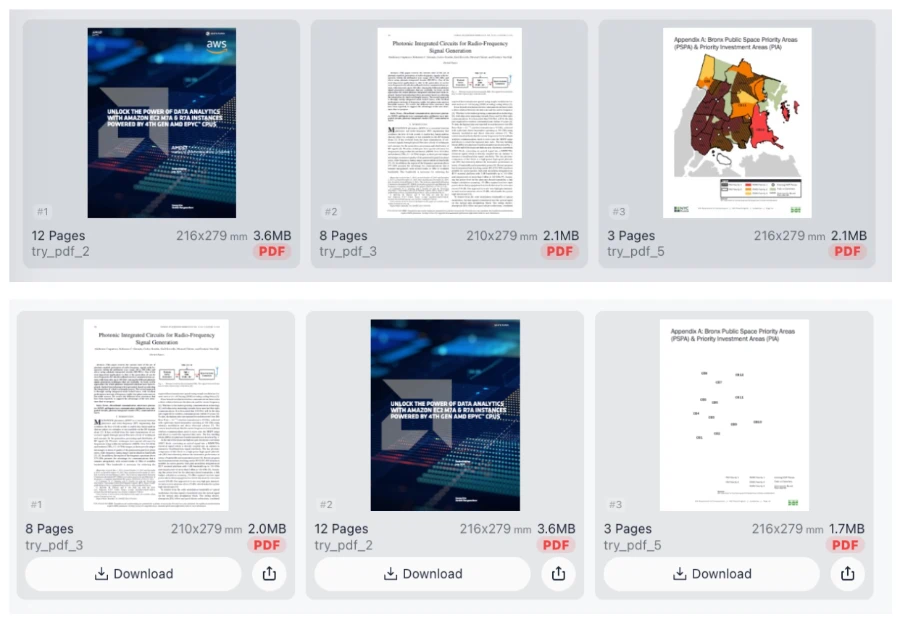
Try these now PDFs:
Does this online conversion service protect my privacy? Are the files I import safe?
Very safe, because your files never leave your device and are not uploaded. ImagesTool uses browser technology to achieve the conversion service that previously required uploading.
Everything happens only in your browser, 100% protecting your privacy.
You can do a test Convert once, then disconnect the device from the network, and convert again and you will find that everything is normal.
Remove Vector Paths from PDF
Optimize your documents with our advanced PDF content removal tool. This utility allows you to selectively strip specific layers from your files, including vector paths, embedded images, and text blocks. Whether you want to simplify complex technical drawings or remove background graphics to reduce file size, our tool provides granular control without compromising document integrity.
100% Private and Secure Processing
Your privacy is our highest priority. Unlike traditional online editors, this tool functions entirely within your web browser. Your files are processed locally using client-side technology, meaning files never leave your device and are never uploaded to a server. There is no registration, no login, and no PDF upload required. Experience complete data sovereignty while editing sensitive documents.
Key Features
- Vector Path Removal: Strip complex shapes, lines, and background vectors.
- Bulk Processing: Select multiple PDF files simultaneously.
Frequently Asked Questions (QA)
How do I remove specific content from my PDF?
Simply drag and drop your PDFs into the browser, check the boxes for "Text", "Image", or "Vector paths" in the menu, and click "Start". Your modified file will be ready for download instantly.
Is my data safe using this online tool?
Yes. Because the processing happens locally in your browser, no one—not even our team—can see or access your documents. It is 100% secure.
Does removing vector paths reduce file size?
Significantly. Vector paths in architectural plans or high-detail maps can be very heavy. Removing them often results in a much smaller, faster-loading PDF.