

Split PDF by outline
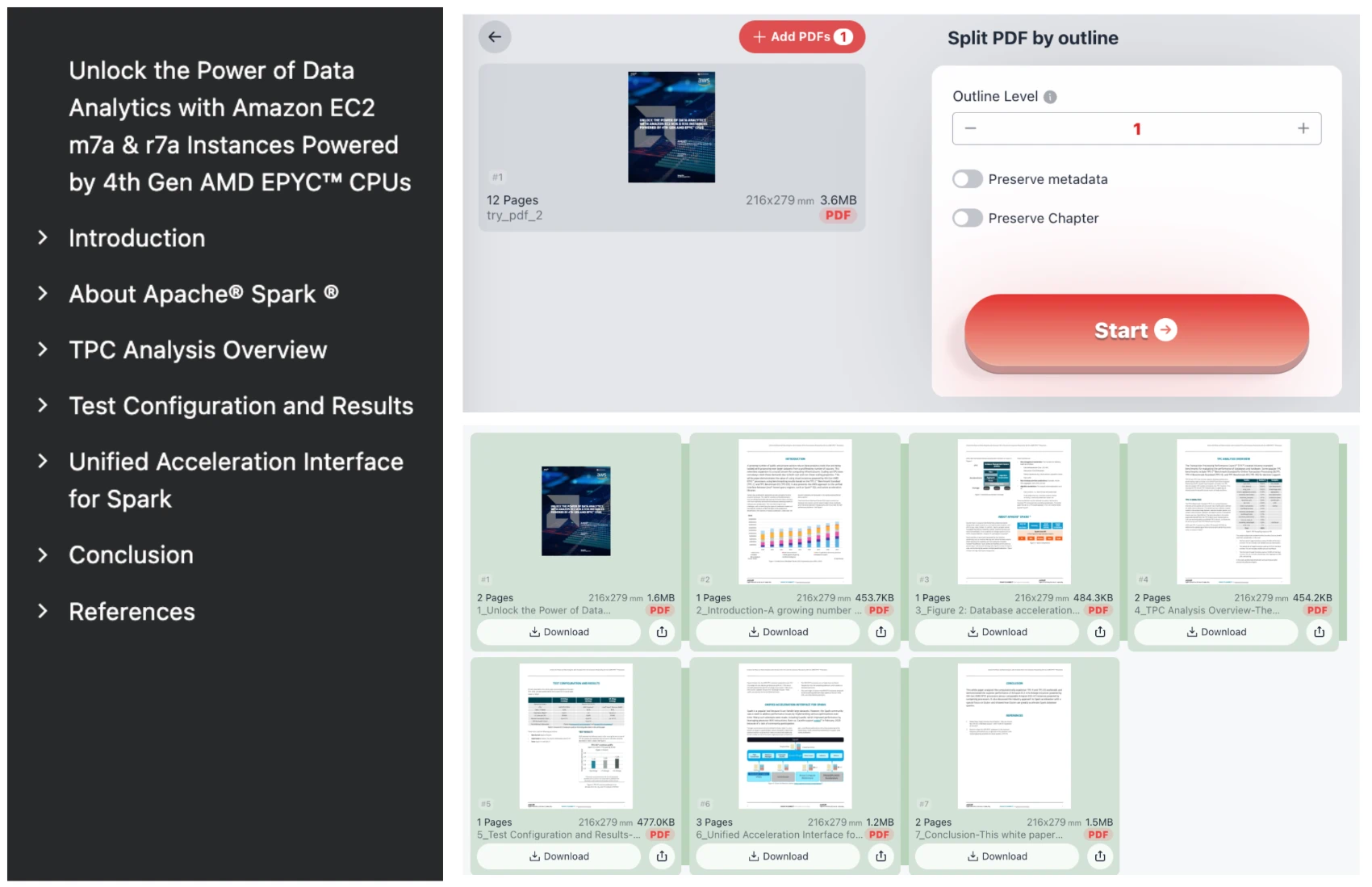
This tool splits a PDF file into multiple PDFs based on chapter/TOC/outline structure. Outline Level: Select the outline level for splitting (1 for top level, 2 for second level, etc.).
Try these now PDFs:
Does this online conversion service protect my privacy? Are the files I import safe?
Very safe, because your files never leave your device and are not uploaded. ImagesTool uses browser technology to achieve the conversion service that previously required uploading.
Everything happens only in your browser, 100% protecting your privacy.
You can do a test Convert once, then disconnect the device from the network, and convert again and you will find that everything is normal.
Split PDF by Outline and Table of Contents
Efficiently organize your documents with our Split PDF by Outline tool. This specialized utility allows you to automatically divide a single large PDF file into multiple separate documents based on its internal bookmark or Table of Contents (TOC) structure. Whether you are dealing with technical whitepapers, e-books, or corporate reports, our tool identifies chapter headings to create perfectly segmented files instantly.
Key Features
- Precise Outline Level Selection: Choose the depth of your split. Select "Level 1" for main chapters, or "Level 2" and "Level 3" for more granular sub-sections.
- Metadata Preservation: Maintain the integrity of your original document properties across all generated segments.
- Intelligent Naming: Files are automatically named based on the outline title, making file management effortless.
- High-Speed Batch Processing: Split hundreds of pages into specific sections in seconds.
100% Privacy and Security
We prioritize your data sovereignty. This tool features local browser-based processing. Your sensitive PDF files are never uploaded to any server and never leave your device. This ensures 100% privacy and security for confidential reports. There is no registration required, no login, and no subscription fees. It is a completely anonymous and secure solution for professional PDF management.
Frequently Asked Questions
How do I split a PDF by its chapters?
Simply drag and drop your PDF into the tool. Select the desired "Outline Level" (usually Level 1 for main chapters) and click "Start." The tool will detect the bookmarks and generate separate PDFs for each section.
Is it safe to use this online PDF splitter for confidential files?
Yes. Unlike traditional online converters, our technology processes the PDF directly within your web browser. Your file is not transmitted to our servers, making it safer than almost any other online tool.
What if my PDF doesn't have an outline?
This tool relies on internal PDF bookmarks. If your document lacks a digital outline, the tool will not be able to identify split points automatically. You may need to add bookmarks using a PDF editor first.